
DHAKA
TO DOHA.
I Mapped the Museum of Qatar From My Desk in Dhaka — Here’s How
IT STARTED WITH SOMEONE WHO ALREADY KNEW WHAT THEY NEEDED
Bojan and I met at a WatchOut certification training a while back. The kind of room where everyone speaks the same technical language — pixel density, signal routing, edge blending. You exchange contacts. You stay in touch. You never know when it becomes useful.
It became useful when his team landed a project at the Museum of Qatar in Doha.
His team is strong — hardware installation, projectors, cameras, rigging, all of it. But this project had a specialist layer that sits outside standard installation work: projection mapping geometry, edge blending across a curved surface, and compositing source content to fit a physical installation. That’s not a gap in their capability — it’s just a different discipline. And the timeline was too tight to fly someone in.
So he called me. Remote. I’d handle the software and content side from Dhaka. He’d be my hands and eyes on the ground in Doha. That division of work is the only reason this was possible in two weeks.
THREE INSTALLATIONS. ONE MUSEUM. ALL FROM MY DESK.
The Museum of Qatar isn’t a standard venue. It’s a landmark — Jean Nouvel’s desert rose building in the middle of Doha. The installations needed to hold up inside that context. Here’s what we built:
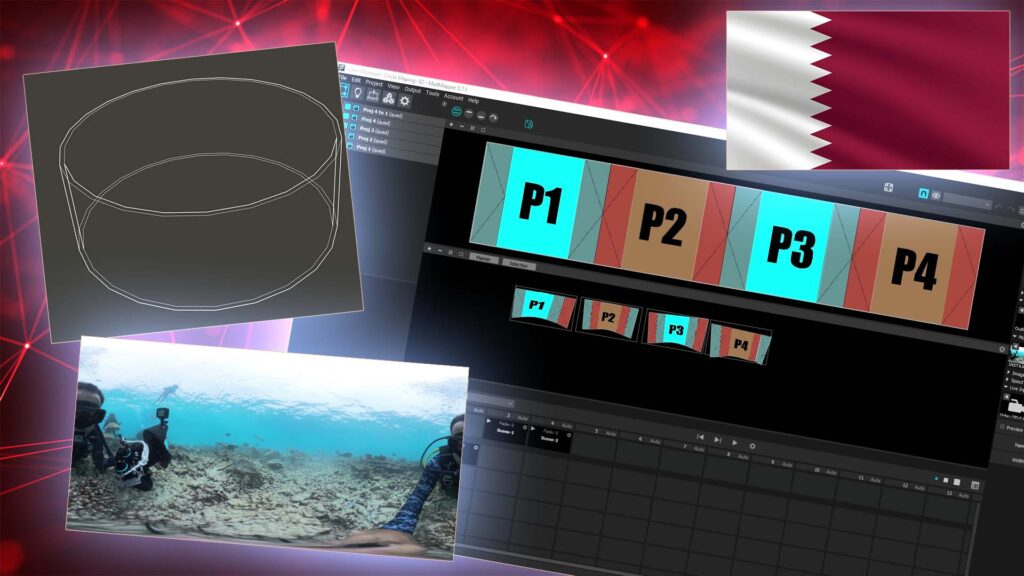
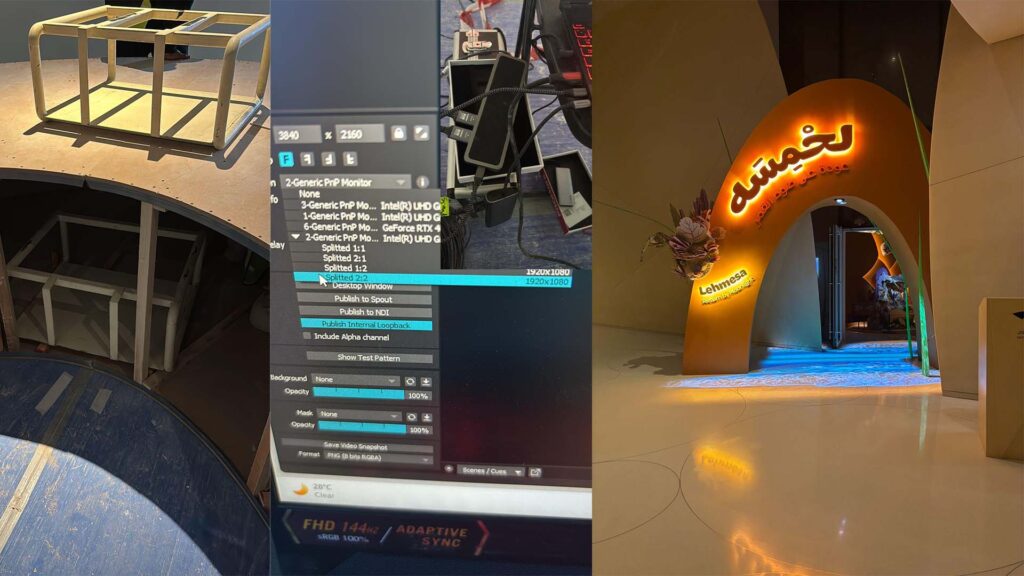
The Curved Room. This was the centrepiece. A curved room — not a dome — with four projectors, each at 5,000 lumens, projecting an underwater world across the entire surface. Four projectors had to behave as one — edge blended, geometry corrected, seamless. I built the entire mapping scene in MadMapper remotely. Every control point, every blend zone, done through a screen I was looking at in Dhaka while the wall was physically in Doha.
The Book. A physical prop book sitting in the museum space, with projection mapped directly onto its pages. Looping animated content — the pages looked alive. For this to work, the mapping has to be accurate to the millimetre. No visible edge. No offset. Just the illusion.
The Entry Floor. A floor projection at the entry point — a welcoming visual as visitors walked in. Straightforward in concept, precise in execution.
TEAMVIEWER, WHATSAPP, AND MAPPING WITH LAG
I want to be honest about what remote projection mapping actually looks like — because it’s not clean. It’s not a polished pipeline. It’s two people on opposite ends of the world, one of them dragging control points through a remote desktop connection with real network latency, and the other one holding a phone up to a museum wall so I can see what’s happening.
That’s the reality. And it worked.
The content side — compositing in Dhaka.
The client had shot their own footage on an Insta360 camera. Beautiful material. But Insta360 outputs spherical 360° video — a format built for headsets and interactive viewing apps, not for projecting onto a physical curved surface. If you take spherical video and put it directly into a mapping scene, the horizon distorts, the proportions stretch, and the result looks nothing like what the client intended.
So I re-composited it. I took the spherical footage and transformed it into a clean, seamlessly looping rectilinear video that matched the actual geometry of the curved room. The client’s footage. Their vision. Just corrected for the physics of the space it was going into. That’s the job.
Everything was produced in Adobe Suite. Files delivered to Bojan. He loaded them on-site.
The mapping side — MadMapper through TeamViewer.
Bojan set up TeamViewer on the installation machine in Doha. I connected from Dhaka. From there I built the full mapping scene — geometry correction, edge blending across all four projectors in the curved room, surface mapping for the book prop. All of it through a remote desktop session.
Precision projection mapping in person means standing close to the surface, making small adjustments, seeing the result immediately. Through a remote desktop with latency sitting between your hand and the software, every small adjustment becomes a three-step process. It takes longer. It requires more patience than I would have liked. But the output quality is the same — because MadMapper doesn’t care whether you’re sitting in Dhaka or standing in Doha. The math is the math.
The communication side — WhatsApp as the feedback loop.
One thing that made this work: Bojan didn’t need much direction on the physical side. He knows what he’s doing. When I needed to see the actual projection in the actual room — not on a screen share, but on a real curved wall with real light — he’d point his phone at it and call me on WhatsApp. That was my visual feedback. A phone pointed at a museum wall in Doha, streamed to my screen in Dhaka.
There was one natural timing friction — Dhaka is UTC+6, Qatar is UTC+3. When I was finishing my day, Qatar was just starting theirs. So our live sessions happened in windows where those schedules overlapped. Everything else was async — I’d send files, Bojan would load them, send me a video, I’d adjust and send back. It was a rhythm we found quickly.
And then one evening, Bojan sent me a WhatsApp video. He pointed his phone at the curved room — all four projectors running, edge blended, the underwater world wrapping across the entire surface without a seam. That was the moment I knew we’d done it right.
WHAT THIS PROJECT CONFIRMED FOR ME
I’ve been doing this long enough to know when a project teaches you something versus when it just confirms what you already suspected. This one was the latter — but confirmation matters. Here’s what I walked away with.
The right local partner makes remote possible.
I cannot stress this enough. Remote specialist work is not about the tools — TeamViewer and WhatsApp exist for everyone. What made this work is that Bojan’s team is genuinely excellent at what they do. I never had to explain how to position a projector or troubleshoot a signal path. They handled everything physical with zero hand-holding, which meant I could stay completely focused on the mapping and content. If the local team had needed support on the hardware side too, two weeks wouldn’t have been enough.
360° footage is not installation-ready footage.
If you’re a client planning an immersive installation and you’re shooting source material on an Insta360 — get a specialist in the loop before you consider that footage final. Spherical video needs to be re-composited before it can work correctly on a physical surface. It’s not a huge job, but it’s an invisible one — you won’t see the problem until you’re standing in front of a wall wondering why the image looks wrong.
Precision work through remote desktop is slow. Do it anyway.
There’s no shortcut for the latency frustration of mapping through TeamViewer. I built in more time than I thought I’d need and still felt the pressure. If you’re planning a remote mapping engagement — pad the mapping sessions generously. The quality ceiling doesn’t drop. The time to reach it goes up.
IF YOUR NEXT PROJECT NEEDS THIS
- → You have a museum, gallery, or experience centre project that needs projection mapping — curved surfaces, edge blending, prop mapping, floor projection.
- → You have a strong local technical team who can handle hardware. What you need is the specialist software layer on top.
- → Your timeline doesn’t allow for flying someone in — or your budget doesn’t either.
- → You need someone who has actually done this — not just for corporate events, but for a museum in the Middle East.
That’s the Qatar model. And it’s available for your project.
HIRE ME FOR YOUR NEXT INSTALLATION
I work remotely with technical teams worldwide — handling projection mapping, MadMapper configuration, content compositing, and edge blending for museum and experiential installations. You bring the hardware and the local crew. I bring the specialist layer.
