How to Learn MadMapper 6 From Scratch: The Honest Beginner’s Roadmap
I opened MadMapper for the first time around 2012. The project was an all-night musical jam session called Speakeasy. There was no course, no structured tutorial, no one I could call. I figured it out by trying things, breaking things, and spending hours on forums that had maybe three useful replies between them. That worked — but it was slow, and it left gaps I didn’t even know existed until a real show exposed them.
If you are starting MadMapper 6 today, you do not have to do it that way. Here is the honest roadmap I wish I had.
Start With the Concept, Not the Software
The single most common mistake I see beginners make is opening MadMapper, clicking around for twenty minutes, and immediately trying to run a show. They use maybe five percent of what the software can do and never go deeper. MadMapper is not complicated — but it rewards people who understand what they are actually trying to build before they touch a single surface.
Projection mapping is the practice of making a projector’s output conform precisely to a physical object or surface. That object could be a building, a stage set, a museum exhibit, or a box on a table. The software — MadMapper — is your control layer. Before you open it, understand that every decision you make inside it maps back to a physical reality outside it.
Understand What MadMapper 6 Actually Is
MadMapper is not just a projection tool. That is the misunderstanding that keeps people small. It handles projection mapping, LED display output, DMX lighting control, and laser mapping — all from one interface. MadMapper 6 is the most capable version the software has ever been, with a redesigned interface, an upgraded rendering engine, and a timeline system that completely changed how I build shows.
When version 6 dropped, the timeline stopped me in my tracks. It rewired my entire workflow. That is not a small update — that is a new way of thinking about show programming.
The Learning Sequence That Actually Works
Here is the order I recommend, based on years of teaching people one-on-one:
1. Hardware first
Know what projector you are working with. Know your computer’s output capabilities. Know what cables you need. None of this is glamorous, but showing up to a session without understanding your signal chain is the fastest way to waste three hours.
2. Interface before surfaces
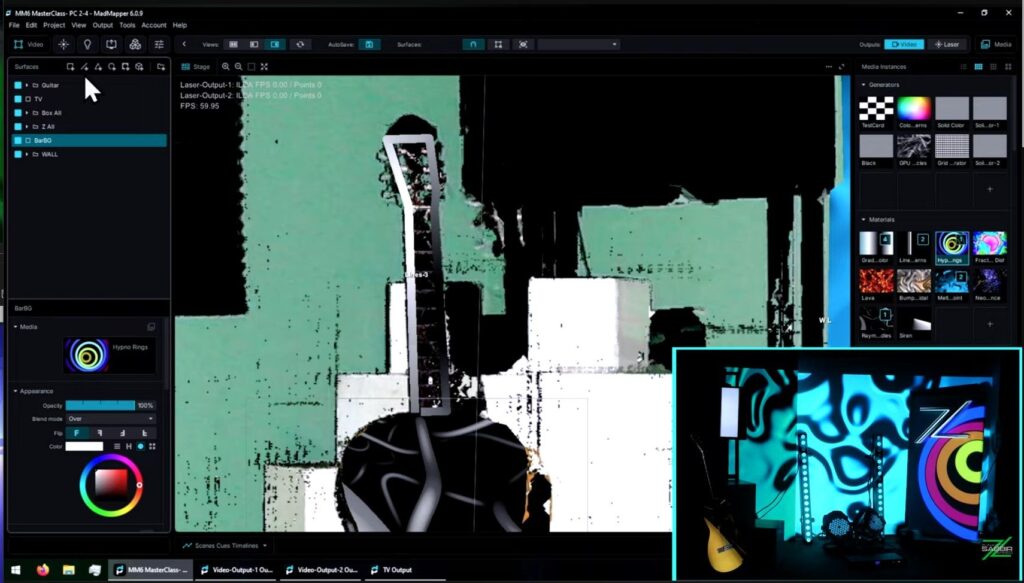
Spend time just looking at MadMapper 6 before you map anything. Where is the output panel? Where are your surfaces? Where does media live? The interface was significantly reorganized in version 6. If you learned on MM4 or MM5, things moved. Starting fresh with a proper interface walkthrough saves you from hunting around mid-show.
3. One surface, one media file
Your first real session should be the simplest possible thing: one quad, one video file, one projector output. Get that working cleanly before adding anything.
4. Geometry and masks
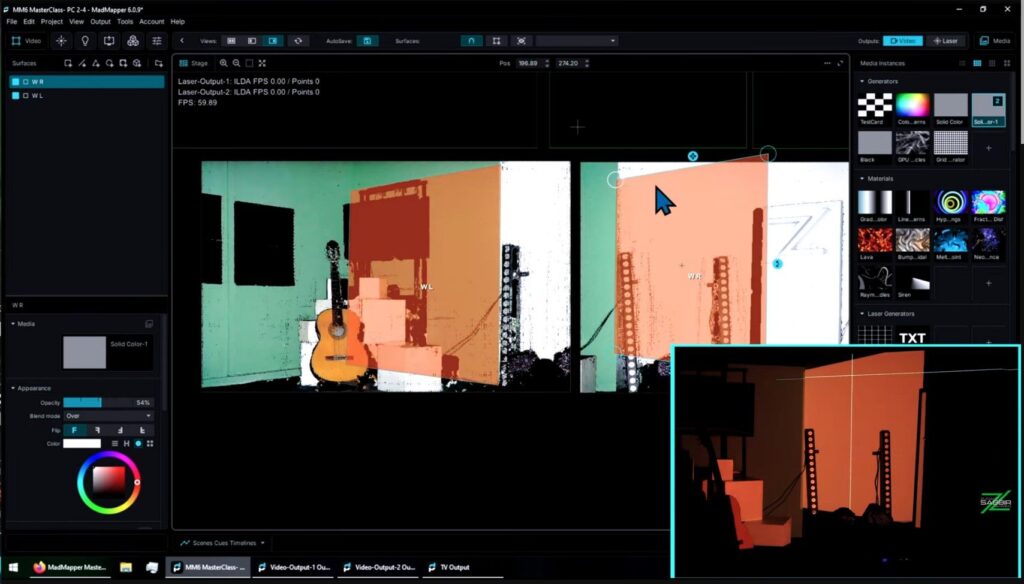
Once you are comfortable with basic surfaces, learn how to handle complex shapes — masks, mesh warping, groups. This is where projection mapping gets interesting and where most YouTube tutorials stop.
5. Scenes and cues
A show is not a static mapping. It changes. Scenes and cues are how you build transitions, structure a performance, and create something repeatable and reliable. Learn this before you go anywhere near a live audience.
6. Timeline
This is the step that separates people who can do projection mapping from people who can run a show. The difference is the same as the difference between the actor and the director of a film. Timeline is where you become the director.
7. Multi-output, LED, DMX, laser
Once your core mapping workflow is solid, expand. MadMapper 6 handles all of these. A master mapper must dominate the whole world of lights and darkness — and that covers projection, LED, laser, and DMX lighting together.
The Problem With Learning From YouTube Alone
YouTube is useful. I have pointed students there many times. But here is the honest reality: if you learn MadMapper from YouTube alone, you will eventually hit a wall — and this course gives you a complete starting point that YouTube never will.
The specific problems with YouTube for MadMapper: most videos are topic-specific, not sequential. They do not build on each other. And the majority of them were made on MadMapper 3 or 4. MadMapper 6 has a fundamentally different interface and a completely overhauled timeline. Watching old tutorials and then opening MM6 is like learning to drive in a 2008 car and then sitting in a 2026 one — the principles carry over but nothing is where you expect it.
What Structured Learning Gives You
In all my years of teaching, I found that 99 percent of students had never found a structured, step-by-step learning base for MadMapper. They knew fragments. They could do some things confidently and had terrifying blind spots in others. Those blind spots do not show up until a real show forces them open.
That is why I built the MadMapper 6 Masterclass. Twenty-two chapters. Over five hours of video. Hardware, install, interface, surfaces, geometry, masks, groups, multi-projector output, scenes, cues, timeline, LED, DMX, laser — in order, with examples, with tasks. The course ends with building a complete timeline-based show from scratch, recapping everything you have learned along the way.
I pictured one person when I was building it: an enthusiastic person who is craving to gather mapping knowledge and wants to be taught step by step with real examples. If that is you, this is for you.
Before you buy anything — watch the introduction video. It covers the full summary of what the course delivers. If you see what I see in MadMapper and you want that knowledge, then buy it. If not, the roadmap above is still yours for free.
One Final Thing
I am a certified MadMapper trainer — verified directly by the MadMapper team. When you learn from this course, you are not learning from someone who picked up the software last year. You are learning from someone who has grown alongside it for over fourteen years, through 400-plus shows, across Bangladesh and more than twenty international productions.
MadMapper grew up over the past fourteen years just like I did — more controlled, more matured, more intelligent, more capable. Learning it now, at version 6, is the best time there has ever been to start.